
Loading TikTok
TIKTOK REFERENCE 01
An unexpected visitor
Malcolm Wentzel @malcolm_fkn_wentzel
View original postCreator’s post · not generated here
AN UNEXPECTED GUEST
Your selfie, with a supernatural twist. Create a short AI video with a fictional ghost appearing behind you.
EARLY ACCESSPay once without an account, or sign in and use credits. Real-video quality is still awaiting acceptance testing; artwork is illustrative.
Checking for your saved order…
THE TREND, IN THE WILD
See how TikTok creators use the ghost-filter prank: an ordinary selfie, an unexpected figure, and a startled reaction. These original posts are trend references from their creators, not videos generated by AI Effects. Open any post to see the source.
Malcolm Wentzel @malcolm_fkn_wentzel
View original postCreator’s post · not generated here
The RAM Fam @maeveplusryan
View original postCreator’s post · not generated here
Lifestyle Armaan @armaan.390688
View original postCreator’s post · not generated here
Alexis Nacolee @lexiinacolee
View original postCreator’s post · not generated here
THE IDEA, IN A FRAME
Ghost Filter Prank starts with a familiar scene: you, facing the camera, with a little space behind your shoulder. Then a fictional ghost enters the picture. Turn one selfie into a 10-second video with jointly generated suspense music and sound effects, choosing a creeping reveal or a more sudden surprise. You supply the photo; the preset gives the scene its direction.
This Ghost Filter Prank uses AI video generation rather than a live camera effect. You do not need to perform the scene or find a particular social app lens. AI generates the movement, expression and ghost. The same generation requests suspense music and action sounds alongside the ghost; the server preserves that native soundtrack. Timing can differ between results. Preview the whole clip before deciding what to share.
01THE REVEAL
The idea is a small change in a believable setting. A person faces the camera while an unexpected figure appears behind them. A doorway, the edge of a sofa or an empty corner gives the viewer somewhere to notice it. That contrast matters more than filling the frame with fog, monsters or flashing effects.
With Ghost Filter Prank, the person is still the main character. The aim is to animate their selfie and add a ghost to the scene, not dress them as one. A still ghost portrait can be a different creative project, but this tool is built around a moving reveal. The examples marked as concept artwork explain that direction; they are not evidence of a particular generated result.
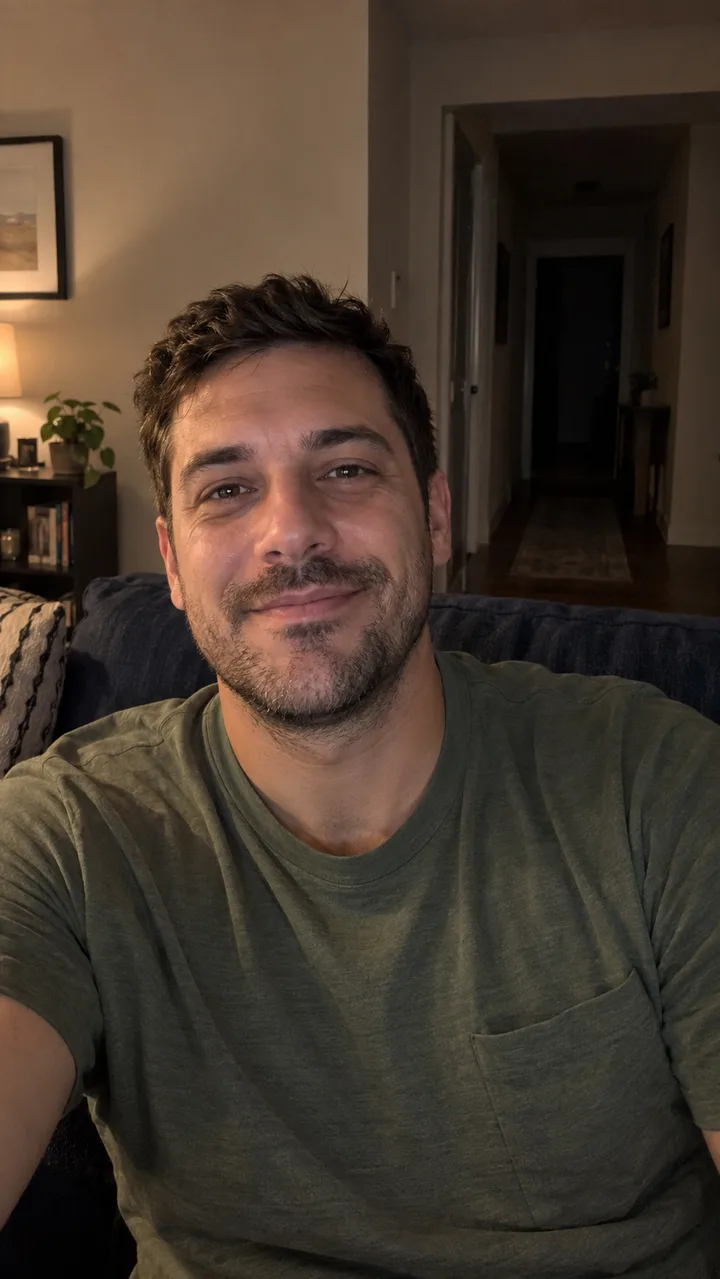
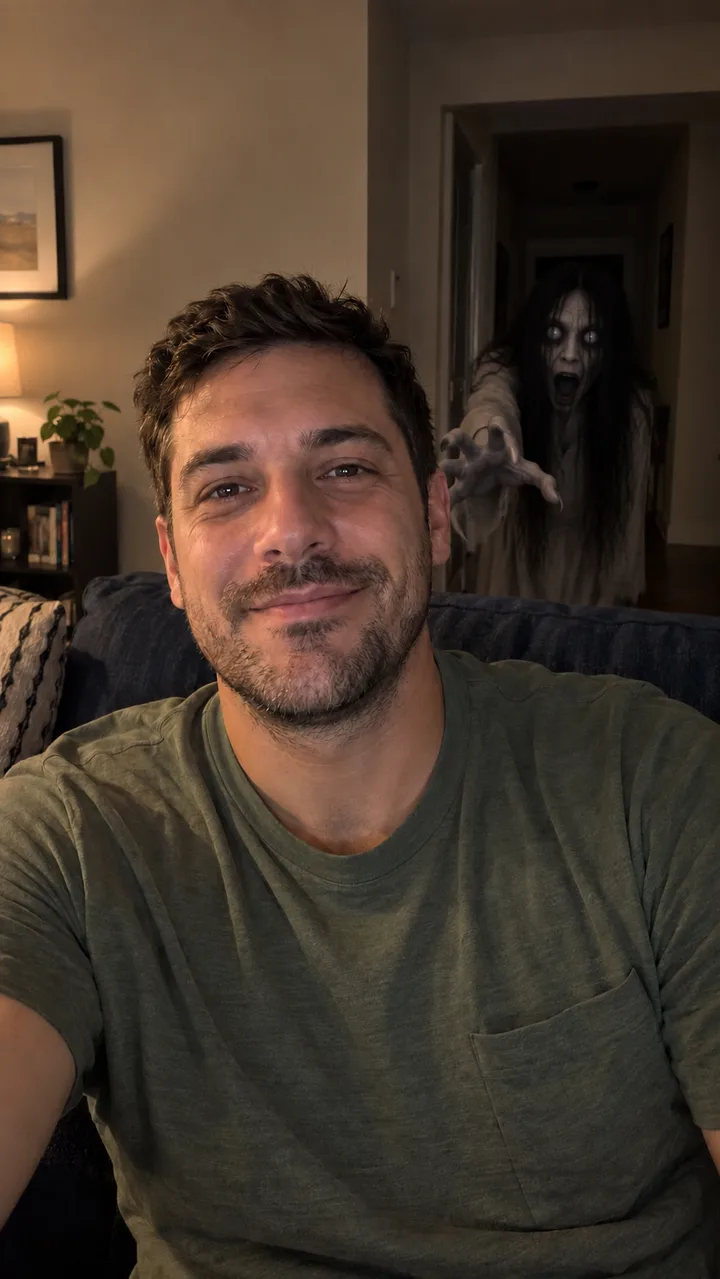 BEFORE CONCEPTAFTER CONCEPT
02CHOOSE THE FEELING
Slow creep asks for a gradual appearance and a gentler supernatural mood. It suits a scene where the viewer has a moment to spot the figure before it gets closer. Sudden lunge asks for a sharper movement toward the camera after a calmer opening. Pick the feeling you want your Ghost Filter Prank to have rather than trying to write a complicated horror script.
These choices guide the generation; they are not a frame-by-frame editing timeline. The ghost may arrive earlier or later, the person may react differently, and the requested action and sound timing can vary. Both choices deliver the same 10-second format with audio. If a particular second, gesture or exact sound is essential, check the result carefully instead of assuming the preset guarantees it.
A little suspense. A figure to notice.
A calmer opening. A sharper surprise.
03START WITH THE PHOTO
Choose a sharp photo of one adult, with the face visible and some background beside the head and shoulders. A simple indoor scene is a useful starting point for Ghost Filter Prank. Keep enough light on the face to show its features; a completely dark room gives the model less information, even when darkness seems appropriate for the story.
Avoid group shots, faces hidden by hands, strong beauty filters and mirrors that repeat the same person. Review the vertical crop before continuing: preserve the top of the head, the shoulders and the space for the reveal. Use a JPG or PNG within the upload limit shown by the tool. If a photo is sideways, rotate it first. A better input helps, but it cannot guarantee unchanged facial features or a perfectly preserved room.
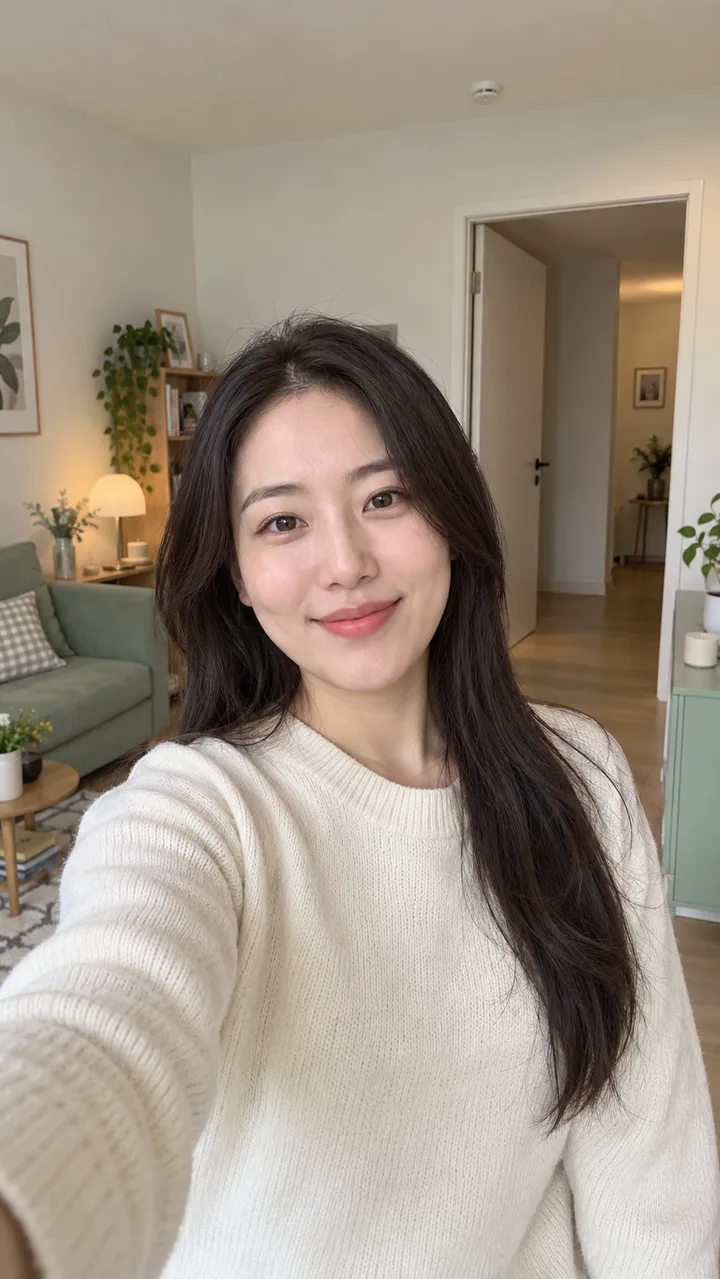 ROOM FOR THE REVEAL
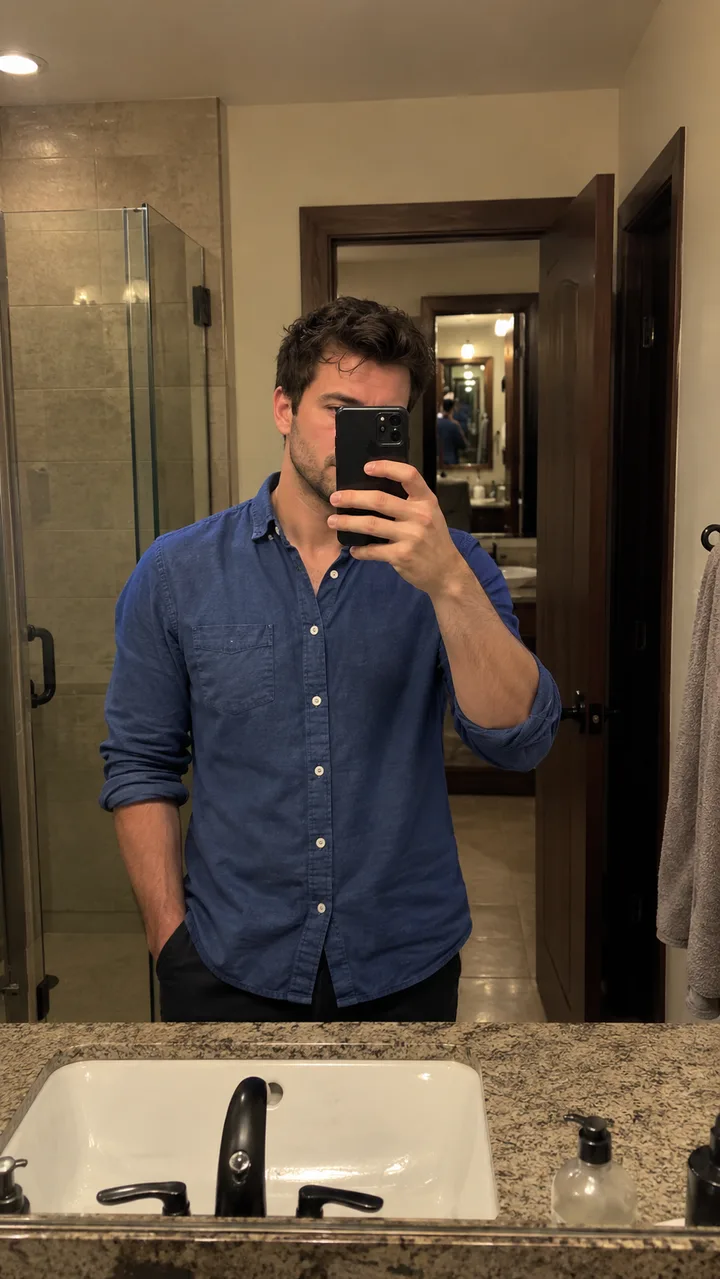 AVOID MIRROR CLUTTER
04FROM SELFIE TO SCENE
First, add your photo and inspect its framing. Second, choose the scare and review the price before submitting. Third, let the task finish, then play and save the result. Your Ghost Filter Prank is generated from that still image; uploading an already filmed video is a different editing task and is not part of this tool.
Keep the task reference while the video is processing. Generation time depends on the service and demand; the ten seconds describe the clip, not the wait. If the connection drops or the page is refreshed, check the existing task before starting another paid attempt. A slow response does not necessarily mean nothing was generated. Wait for a clear completion or failure state rather than repeatedly pressing the creation button.
06KNOW BEFORE YOU CREATE
A guest can choose one video for US$9.90. For members, a Ghost Filter Prank uses 40 credits. The available packs are 40 credits for US$9.90, 200 for US$29.90 and 600 for US$59.90: enough for one, five or fifteen videos at this rate. Check the checkout summary and your balance before continuing. Browsing the examples is different from submitting a paid generation.
Treat a new take as another generation unless the interface explicitly offers otherwise. A confirmed failed task and a task with an uncertain outcome need different handling; do not assume a network timeout is proof of failure. If something looks wrong, keep the task reference for support. Payment buys the generation service described at checkout, not a promise that every face, background detail or surprise will match your imagination.
No. Ghost Filter Prank creates a video from an uploaded still photo. It does not open a live camera, install a lens or connect to your social account. You review the generated clip here, then decide whether to download and post it yourself. The website is independent of TikTok, Snapchat and their effect creators.
The intended effect adds a fictional ghost behind the person rather than turning that person into one. AI can still alter facial details, clothing or parts of the scene. The concept images illustrate the idea, while an actual video result must be judged on its own. Choose another photo if the original framing leaves no room for a separate figure.
You can explore the page and its examples without submitting a generation. Creating a Ghost Filter Prank is paid: a guest video is US$9.90, or members use 40 credits per video. The pricing page lists the current packs. Do not assume that an example, concept image or any account reward represents a free complete video.
The prompt asks the model to preserve the person and surroundings, but an AI-generated video can change both. Ghost Filter Prank does not guarantee identical facial features, a fixed expression or a particular reaction. A clear, lightly edited selfie makes the intended subject easier to understand. Always inspect the generated face and background before sharing the result.
The requested output lasts ten seconds. Processing takes longer and varies with service conditions; there is no fixed three-minute guarantee. Follow the task status rather than using the clip length as a timer. If progress is temporarily unavailable, check the existing task again before creating a replacement, especially after refreshing or returning to the page.
Ghost Filter Prank requests original suspense music and sound effects in the same generation as the picture. Slow-creep uses a gradual musical reveal; sudden-lunge requests a sting with the visible lunge around second seven. The MP4 preserves that generated audio instead of replacing it with a fixed track. Every soundtrack varies, so there is no exact pre-generation audio preview. Actual sound timing and quality remain unverified until a real result is reviewed. This version has no separate music-upload editor. A mute control is for preview playback; it does not mean the downloaded MP4 has had its audio removed.
This Ghost Filter Prank tool starts with one still photo of one adult. It does not edit an uploaded video or offer controls for choosing between several faces. Start with a clear single-person photo and review the vertical crop. More complicated inputs can make the subject and the space for the ghost difficult for the model to interpret.
Use your own photo or a photo of an adult who has agreed to this use. Do not upload a child's photo or use the effect to impersonate, humiliate or present a fictional event as real. Keep the joke appropriate for the person who will see it, and preview the surprise before you send it to anyone.
Keep the task reference, check its status and avoid submitting the same photo again while the outcome is unknown. A request can continue processing after a connection problem. If the task reports a final failure or cannot be recovered, use the support route shown by the website. Do not assume every delay qualifies as a completed result or an immediate refund.