
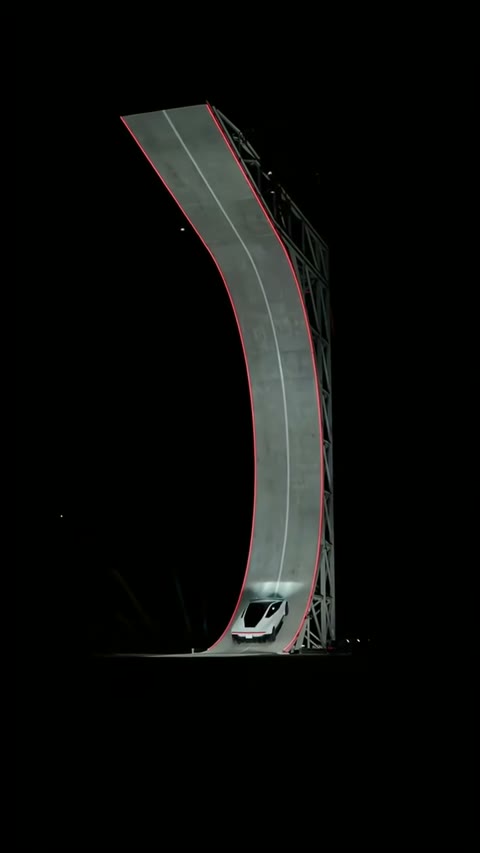
The climb
The vehicle must travel up the curved ramp. A Roadster AI car edit needs to preserve the incline, contact and camera view while changing the car itself.
@streamershub__ · Source 00:43 · Source frame
THE FLYING-CAR EDIT
Your car. Your face.
A familiar impossible escape.
Make a Roadster AI video around the moment you actually want: the ramp flip, the traffic flyover, or you in the driver’s seat. Choose the source, upload the right photo and get an edited MP4 with that clip’s sound.
Choose your Roadster AI edit ↓Replace the performing car in the climb, launch, flip and smoky landing. The selected excerpt starts at 00:40 in the source post.
@streamershub__ · View the full source ↗Creator reference, not an AI Effects output. Checked October 17, 2026.Checking for your saved order…
Photos stay private. Input links expire after 24 hours; completed downloads after 7 days. How photos are handled
START WITH THE RESULT
Roadster AI searches can lead to a car climbing a ramp, a vehicle rising above traffic or a driver escaping a roadside stop. Those are different requests. A person who wants their own hatchback doing the stunt needs vehicle replacement; someone who wants to appear behind the wheel needs a portrait edit. This page begins with those choices instead of asking every visitor for the same selfie.
The Roadster AI studio uses a selected video as the editing source. Your photo identifies the subject to change. The scene, camera and action are meant to follow that reference, with a different instruction for each mode. The references here explain the target result; they are not examples generated by AI Effects. Real output quality and synchronization remain unverified in this early release.
READ THE WHOLE STUNT
The Roadster AI ramp excerpt runs from 00:40 to 00:55 of the credited source. It keeps the climb, launch, airborne movement and landing together at the source speed. These frames explain the action we ask the edit to preserve.
The vehicle must travel up the curved ramp. A Roadster AI car edit needs to preserve the incline, contact and camera view while changing the car itself.
@streamershub__ · Source 00:43 · Source frame
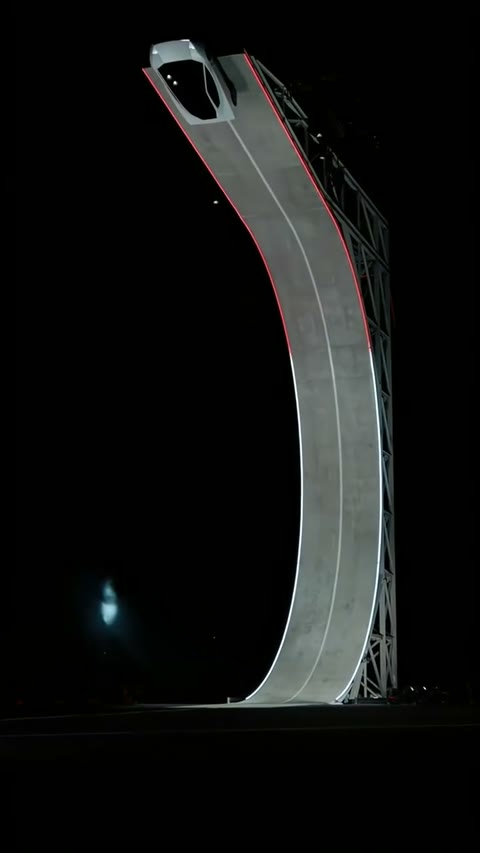
The airborne movement is part of the Roadster AI source sequence. Replacing the car should retain its path and orientation, rather than invent a different jump.
@streamershub__ · Source 00:48 · Source frame
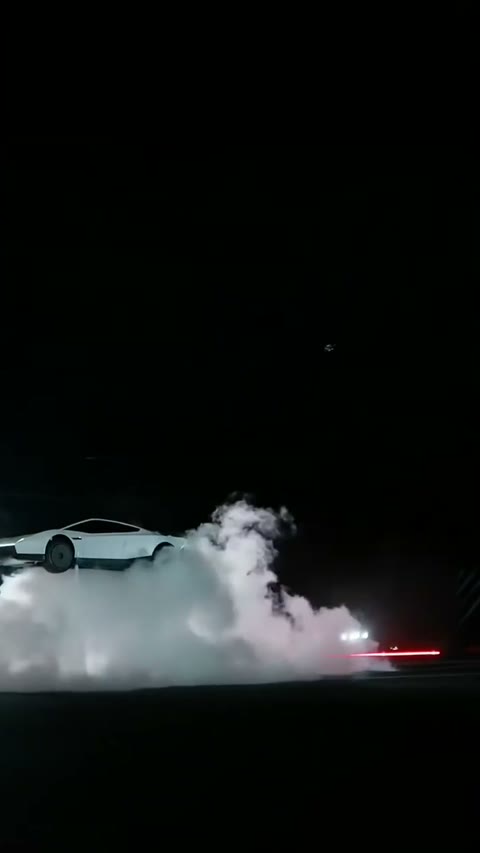
The landing and smoke finish the action. The Roadster AI template includes this part of the story, with the sound from the same selected segment.
@streamershub__ · Source 00:51 · Source frame
CHOOSE WHAT CHANGES
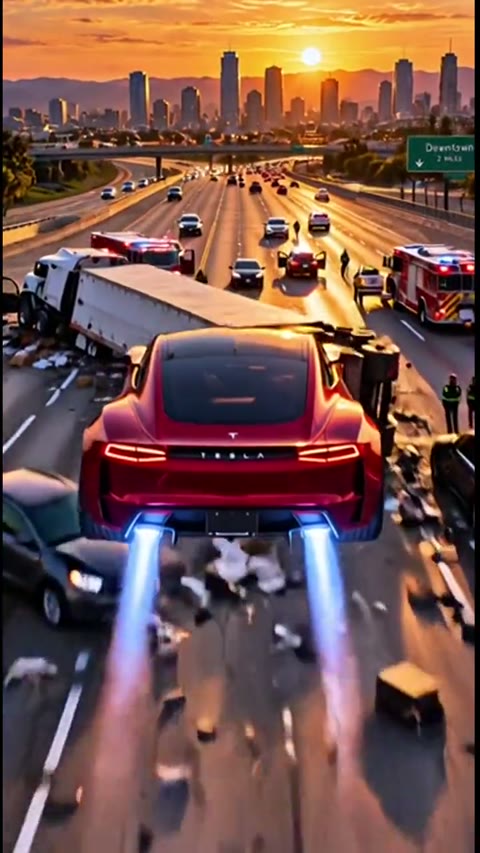
In the Roadster AI traffic mode, the red foreground vehicle is the target. Upload a whole-car photo that shows its body and wheels. A rear three-quarter angle is useful because the clip follows the car from behind. The highway, other cars and obstruction should stay in place while your vehicle takes the selected flight path. Your upload is not cropped into a narrow selfie frame.
@toddswank · Source frame at 00:04 · Creator AI fiction
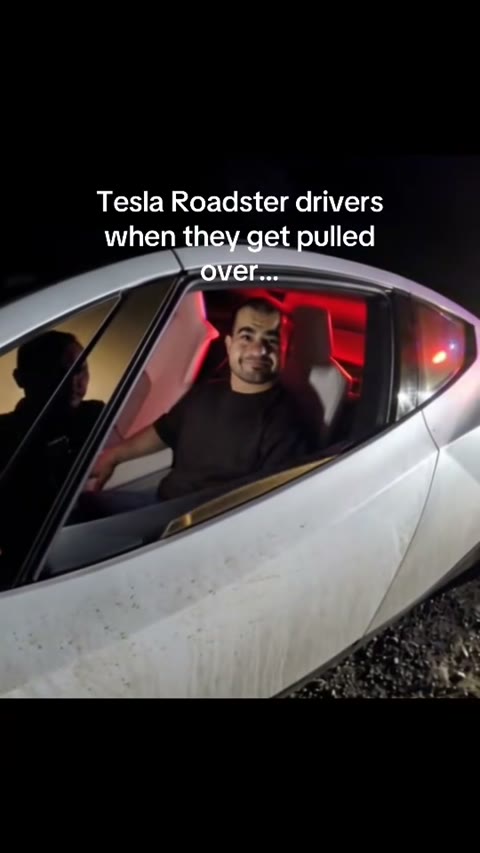
The Roadster AI portrait mode targets the seated driver. Upload one consenting adult’s clear face. The reference car and scene stay the editing context; the officer should not receive your identity. This is a visual identity edit, not voice cloning. Existing dialogue belongs to the source recording, so listen to it before choosing the scene. Review facial consistency and mouth timing in the finished result.
@semsar.io · Source frame at 00:05 · Creator AI fiction
SOURCES / VARIATIONS / A TUTORIAL
Six attributed posts show how the topic branches into different stories. The first three correspond to the selectable Roadster AI edits. The remaining posts provide inspiration and input guidance; their scenes are not hidden extra templates. Open a player deliberately to hear its sound, or follow the creator’s original post.
Event repost · selected excerpt
Replace the performing car in the climb, launch, flip and smoky landing. The selected excerpt starts at 00:40 in the source post.
@streamershub__ · Original post ↗Checked 2026-10-17. Independent creator reference.
Creator AI fiction · editing reference
Replace the red foreground car as it lifts over a blocked highway and lands beyond the traffic.
@toddswank · Original post ↗Checked 2026-10-17. Independent creator reference.
Creator AI fiction · editing reference
Replace the seated adult driver in a fictional roadside-stop-and-escape clip. The car and scene stay the reference.
@semsar.io · Original post ↗Checked 2026-10-17. Independent creator reference.
Creator AI fiction · inspiration
A fleet of flying cars above ordinary road traffic. This broadens the trend beyond a single car escaping a jam; this fleet scene is not a selectable editing template.
@xander.sgc · Original post ↗Checked 2026-10-17. Independent creator reference.
Creator AI fiction · inspiration
An urban flying-car montage. Multiple shots and vehicles make this a different creative task from replacing one clearly identified car.
@yapayzekaserisi · Original post ↗Checked 2026-10-17. Independent creator reference.
Creator tutorial
A filmed-phone tutorial showing car-photo selection. A tutorial is useful input guidance, but does not independently verify the provider or final quality of another tool.
@theodora7737 · Original post ↗Checked 2026-10-17. Independent creator reference.
References belong to their credited publishers. Availability can vary by region. Attribution identifies the source and does not establish first upload, commercial rights or independently verified authenticity.
A COMPLETE DOWNLOAD
A Roadster AI edit keeps the audio paired with its chosen source segment. The video-editing step is asked to keep the sequence’s timing, and the matching recording is included in the MP4. We do not take a different music loop and stretch it over an unrelated new scene. The studio offers a soundtrack preview so you know which recording accompanies your selected mode.
Audio delivery and perfect synchronization are different checks. The service checks the returned clip’s duration before packaging sound, but this cannot prove every landing, spoken syllable or reaction aligns. Roadster AI remains early access until real generated examples are checked. Review the complete result before sharing; a valid MP4 alone does not guarantee the visual edit preserved every detail.
BEFORE YOU CREATE
Roadster AI offers three selected editing tasks: put your car into a ramp-flip sequence, replace the foreground car in a traffic flyover, or replace the seated driver in a fictional roadside escape. Choose the action first. Each option shows its source, duration, required photo and what the edit is meant to preserve. Inspiration videos in the gallery are separate from these available templates.
The selected source video is an actual input to the video-editing model, together with your replacement photo. The task is to change a specified subject while retaining the source sequence. This gives the model more concrete guidance than a text description alone. It still does not guarantee pixel-identical backgrounds, exact vehicle details or perfectly preserved performance; the first release has not been validated with real generated results.
For car modes, use a clear whole-car photo with the wheels and body visible. A rear or rear three-quarter view helps when the source mostly shows the back of the vehicle. For the driver mode, use a clear portrait of one consenting adult. JPEG and PNG are accepted up to 10 MB. Keep each side at least 300 pixels and avoid extremely wide panoramas. Your image is fitted without a forced portrait crop.
Yes. Each selected template has its own paired source recording. The edited video is packaged with that recording at the original speed; the workflow does not choose unrelated stock music afterwards. Existing voices remain voices from that source, not a clone of your voice. Duration checks reject an obvious mismatch, but they cannot prove every action, lyric or mouth movement remains synchronized. Listen to the selected track before paying and review the finished edit.
The current Roadster AI modes change one selected subject. A car-photo mode changes the vehicle; the portrait mode changes the driver. Simultaneous person-and-car replacement, uploaded custom videos and background changes are not available in this release. Selecting a different reference is not the same as asking the model to replace a city. We keep those tasks separate so the upload form describes what it will actually do.
One selected edit costs US$12.90 through guest checkout, with no account or subscription required. Members can use 60 site credits for the same editing workflow. The chosen template determines whether the clip is 10 or 15 seconds. If you do not have enough credits, the main button opens the credit packs in a new tab while preserving this page. Returning refreshes your balance before you submit.
A verified Stripe payment or a reserved member balance starts the order. Return in the same browser to follow progress and download the MP4. If a request is still processing or needs review, keep that order rather than paying again. Confirmed failed member jobs return reserved credits. For guest payment problems or refund review, contact support@aieffects.video with your order ID. Completed downloads are available for seven days from the order.
This is an independent AI Effects editing page, not a Tesla product or an official vehicle demonstration. The gallery distinguishes an event repost, creator-labeled AI fiction and a tutorial. A creator posting a clip does not establish that it is the first upload or prove the event is authentic. Our resulting vehicle and driver edits are fictional. Label edited videos as AI-generated and consult official Tesla information for vehicle claims.
Pick the action, check the source and sound, then add your car or portrait. Roadster AI offers a single purchase without an account or the same workflow through member credits. Your selection stays here when you open credit packs in another tab.
Make my Roadster AI edit ↑Explore more AI video effects with different inputs and outcomes: